The Event Days app
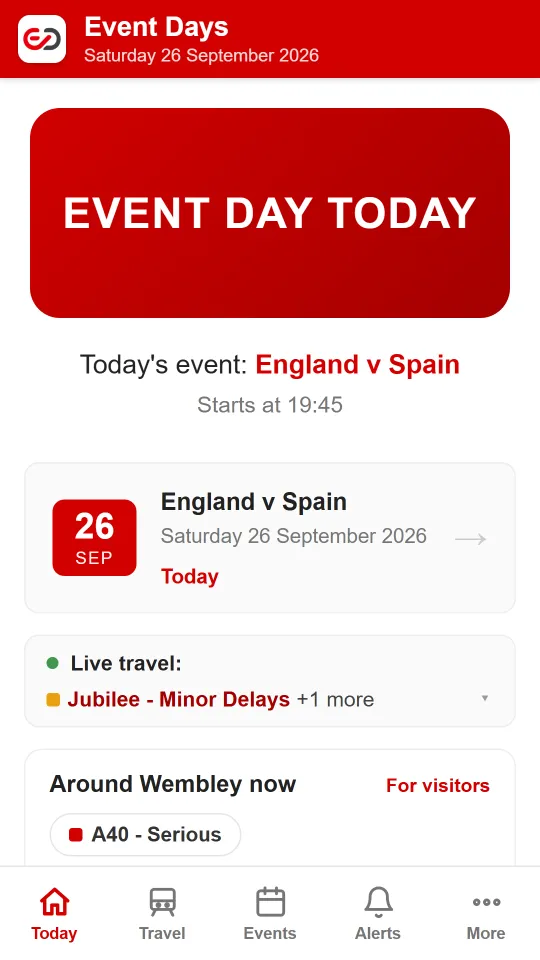
Event Days tells you at a glance whether today is a Wembley Stadium event day, and everything that comes with it: road closures, parking restrictions, busy stations and the best way home. The app puts all of that on your phone, with alerts before every event and tools that work on the day.
On an iPhone? See the iPhone options below.
Free on Google Play for Android phones
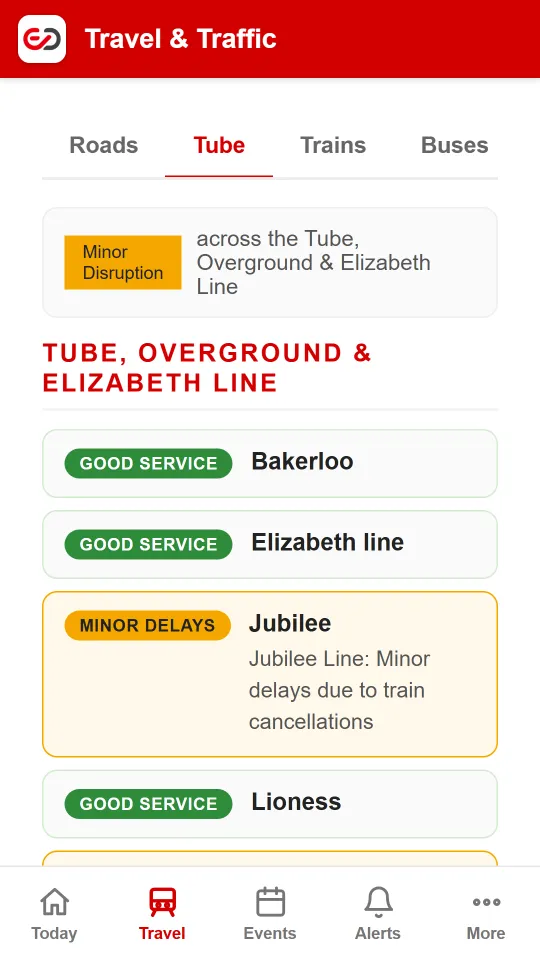
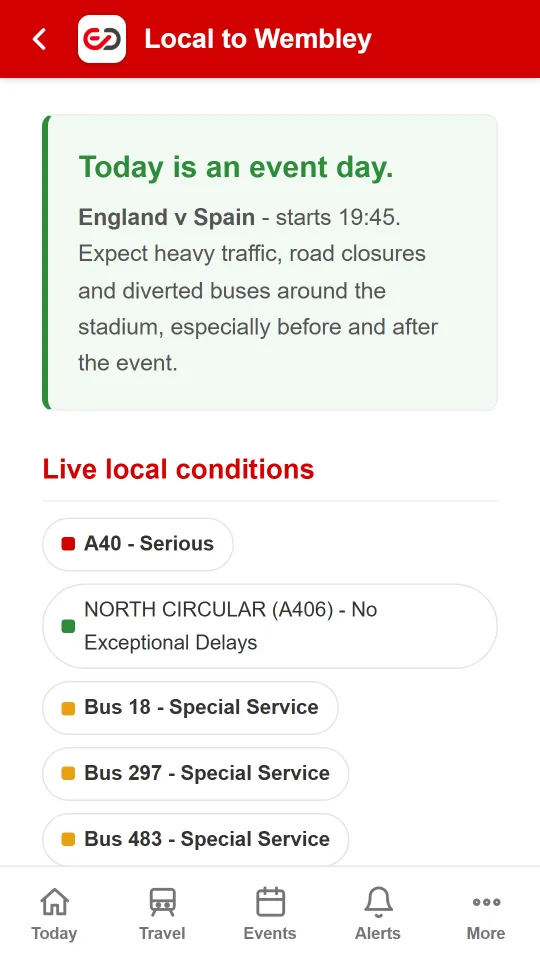
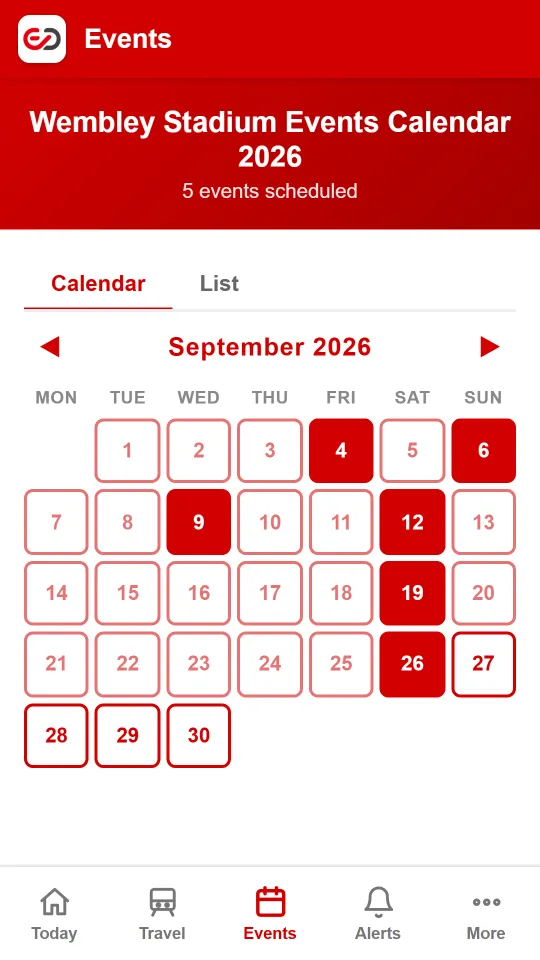
What the app does
- Alerts before every event. A notification at 8am the day before each Wembley event, or a week ahead - so deliveries, visitors and the weekly shop never clash with 90,000 fans.
- Follow just your event. Going to one match or gig? Get reminded the day before and on the morning, and told if the date changes or it's cancelled.
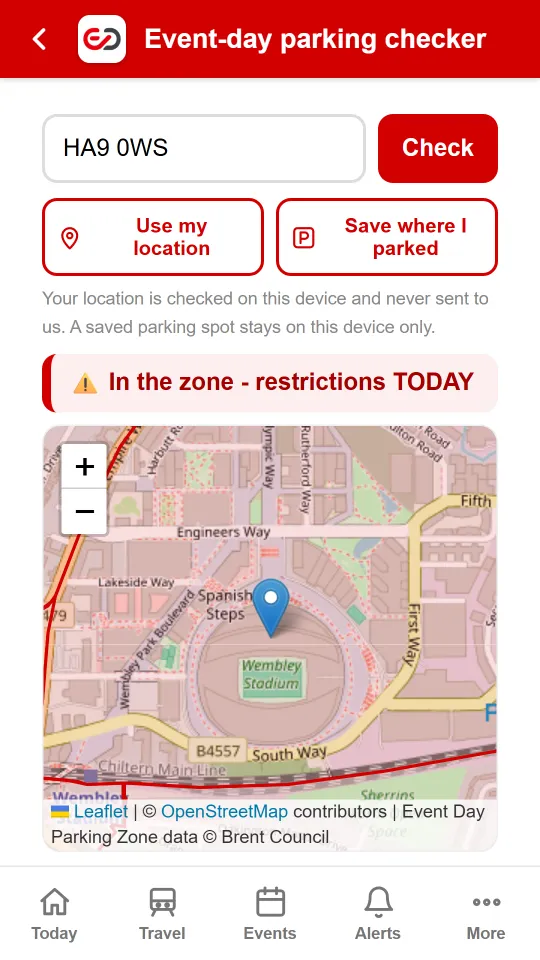
- Am I in the zone? Check your street - or wherever you're standing - against the official Event Day parking zone. Your location is checked on your phone and never sent to us.
- Where did I park? Save your spot before the event and walk straight back to it afterwards.
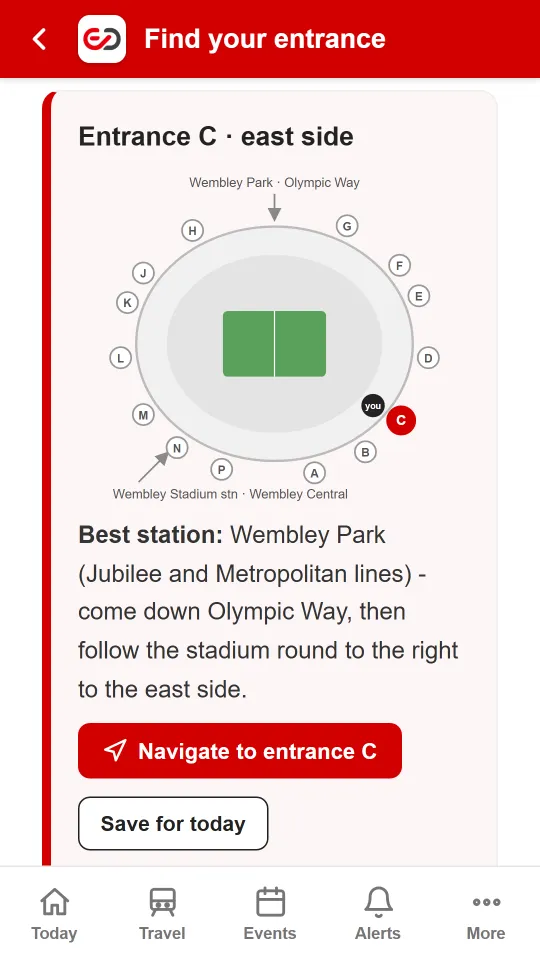
- Find your entrance. Enter the entrance or block on your ticket for the best station and walking directions to the right gate.
- Live travel and getting home. Tube, Overground, Elizabeth line and Chiltern status for the Wembley stations, plus A406 and A40 traffic and bus disruption.
- On your home screen. A Today widget shows whether it's an event day without opening the app, and pressing and holding the icon gives shortcuts like "Parking here" and "Walk to my car".
- Works on poor signal. Key pages are saved on your phone, so the essentials still open when the network around the stadium is overloaded.
Private by design
No account, no ads, no tracking and no analytics. Alerts are optional and can be switched off at any time. See our privacy notice.
On iPhone
An iPhone app is on the way. Until then, you can add Event Days to your iPhone's Home Screen, where it opens full screen just like an app:
- Open eventdays.co.uk in Safari.
- Tap the Share button (the square with an arrow).
- Choose Add to Home Screen, then Add.
On iOS 16.4 or later you can then open it from your Home Screen and tap the bell to turn on alerts. Email reminders work on any phone.
Tell me when the iPhone app is out
One email when it's on the App Store - nothing else. We delete your address once it's sent.
Get Event Days free on Google Play
Quick questions
Is the app free?
Yes. No ads, no in-app purchases and no account to create. Get it on Google Play.
Which phones does it work on?
Android 6 or later, from Google Play. An iPhone app is on the way; until then, add the website to your iPhone's Home Screen.
Do I need the app, or will the website do?
Everything is on the website too. The app adds alerts on your phone, the Today widget, home-screen shortcuts and saved pages for poor signal at the stadium.
What data does the app collect?
Only what you choose to give it: a notification code if you turn on alerts, or your email address if you ask for email reminders. Your location is checked on your phone and never sent to us. Full details are in the privacy notice.
Event Reminders
Get a notification before events at Wembley.
On Android? Get the appAlerts straight to your phone, no email needed.
Important Information
We do our best to keep event information accurate and up to date, but it's provided as a best-efforts service for general information only and without warranty.
Please check with the relevant local authorities for any road closures, traffic restrictions or parking arrangements that may apply in the area on the day of the event.
Never miss a Wembley event
Free email reminders before each event at Wembley Stadium.
On Android? Get the appAlerts straight to your phone, no email needed.